

Share Article
Spread practical knowledge with your network

AI Pair Programming: A Practical CLAUDE.md & Prompt Engineering Guide (2026)
Introduction: The Autocomplete Illusion
I remember the first time I watched a junior developer use an AI coding assistant. They had a massive, undocumented monolithic function in front of them, and they typed a simple comment: // fix the bug and make it faster. They hit enter, waited for the AI to spit out a 50-line suggestion, blindly pressed "Tab" to accept it, and then looked confused when the application crashed in three new places.
They were treating the AI like a magical autocomplete engine.
Senior engineers don't do this. When you've spent years maintaining production systems, you understand that writing the code is the easiest part of software engineering. The hard parts are defining the right architecture, managing state, handling edge cases, and ensuring that the poor soul who reads your code six months from now (which will probably be you) can understand it.
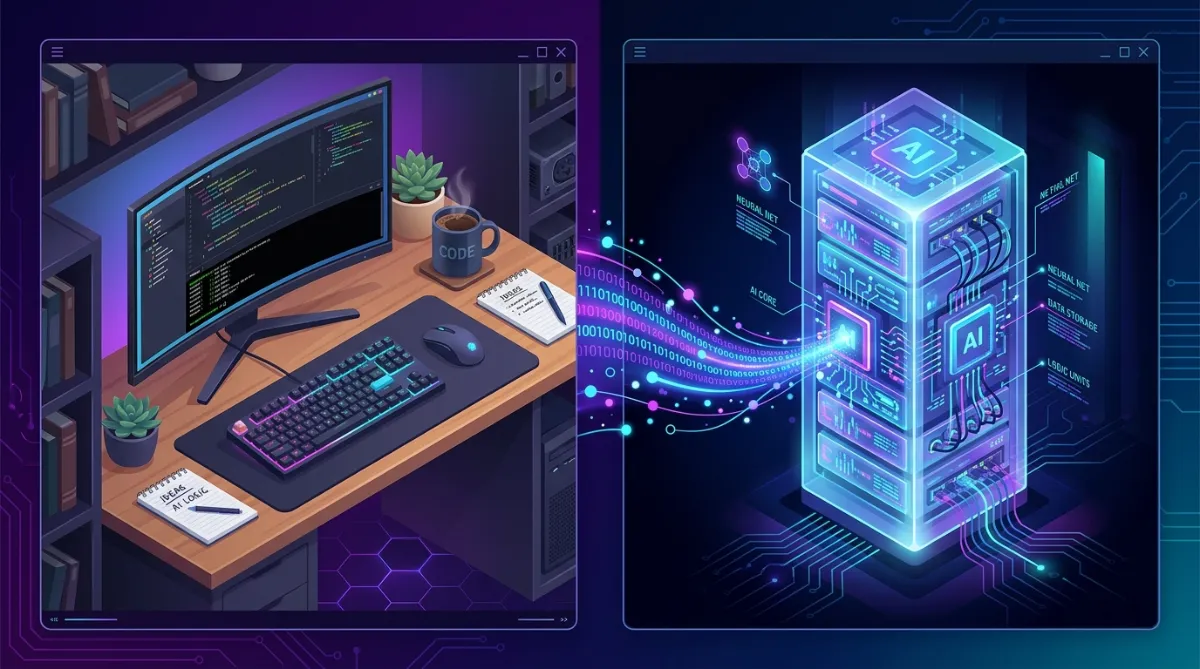
If you use AI just to write code faster, you're missing 90% of its value. Experienced developers use AI as a sparring partner—a tireless senior pair programmer who can review architecture, challenge assumptions, and keep track of complex dependencies.
In this guide, we are going to explore how seasoned engineers integrate AI into their daily workflows. We will cover how to structure repository memory using CLAUDE.md and Agents.md conventions, how to design prompts that yield production-ready code, and the workflows that separate the professionals from the prompt-kiddies.
💡 Pro Tip: Stop asking AI to "write this function." Start asking AI to "review this architecture, point out potential failure modes, and propose an implementation plan."
AI Is Not an Autocomplete
The biggest mental shift you need to make is redefining the role of AI in your toolkit.
Junior developers see AI as a code generator. Senior developers see AI as a:
-
Pair Programmer: "Let's work through this database migration step by step."
-
Reviewer: "Review this PR for security vulnerabilities and N+1 query issues."
-
Architect: "Here is our current microservice architecture. Where are the single points of failure?"
-
Brainstorming Partner: "I need to design a rate-limiting system. What are the trade-offs between Redis token buckets and sliding windows?"
-
Rubber Duck: "My WebSocket connection keeps dropping after 60 seconds. Here are the logs. Let's figure out why."
When you elevate the AI from a typist to a collaborator, the quality of your output skyrockets.
Junior vs Senior AI Usage
Aspect
Junior AI Usage
Senior AI Usage
Primary Use
Code generation (Tab-complete)
Contextual problem solving & architecture
Prompt Style
"Build a login form"
"Given our Auth0 setup and React context, draft the state machine for the login flow."
Code Review
Accepts AI code without reading
Audits AI code for edge cases and performance
Context Given
Zero to none
Full architecture docs, database schema, and specific file constraints
Debugging
"Fix this error: [Paste Stack Trace]"
"Here is the error, the relevant service layer, and my hypothesis. Let's validate."
Creating an Excellent CLAUDE.md
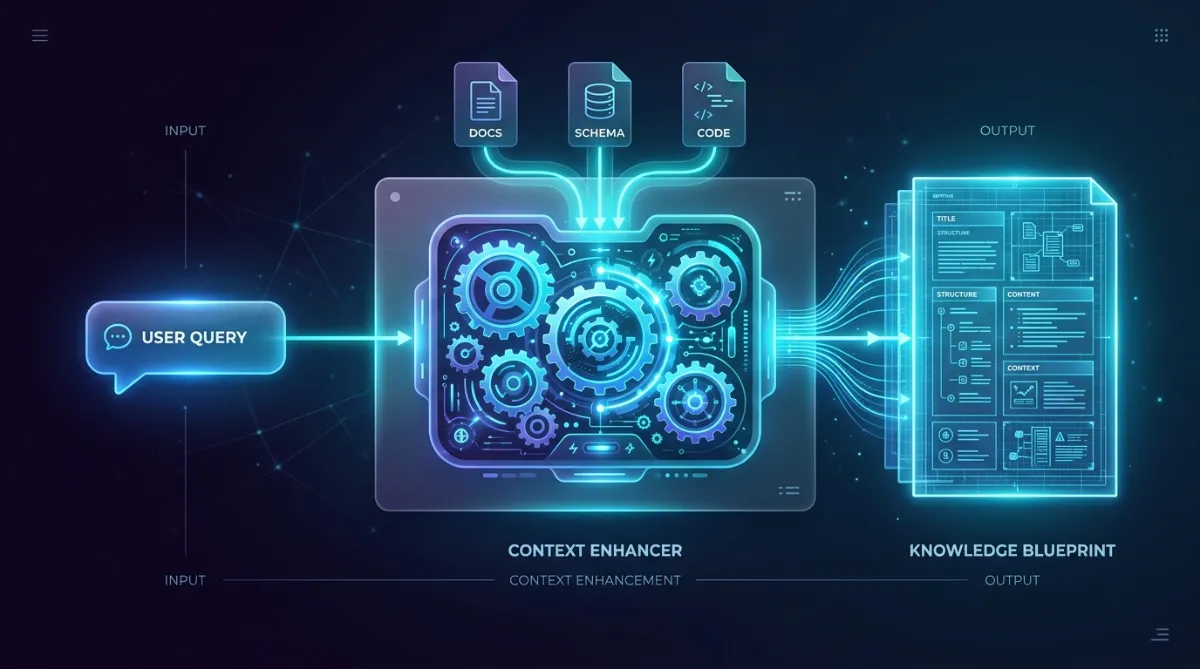
AI is only as good as the context it operates in. If you drop an AI into a massive monorepo without a map, it will hallucinate, invent new patterns, and break your existing architecture.
This is where repository memory comes in.
Senior engineers establish strict ground rules using files like CLAUDE.md, .cursorrules, or Agents.md. These files act as the system prompt for the repository. They tell the AI exactly how your team writes software.
The Agents.md Philosophy
In advanced AI workflows, We use a structured tracking system, often defined in an CLAUDE.md file, to maintain state across sessions. This means creating a dedicated .ai/project/ directory to store the current state, implementation logs, and handoff notes.
A robust AI workspace looks like this:
docs/
├── planning/
│   ├── roadmap.md
│   ├── tasks.md
│   └── decisions.md
.ai/
└── project/
    ├── current-state.md
    ├── next-task.md
    ├── implementation-log.md
    └── session-handoff.md
CLAUDE.md
Example: A Production-Ready CLAUDE.md
Here is a snippet of a strong CLAUDE.md that forces the AI to respect your architecture:
# AI Developer Guidelines

## Architecture Rules
- We use a strict Router -> Service -> Repository -> Model architecture.
- NEVER put business logic in the Router/Controller.
- The Repository layer is the ONLY layer allowed to execute database queries.

## Coding Standards (TypeScript/Node.js)
- Use functional programming patterns. Avoid `class` unless creating a NestJS provider.
- Use `Result` or `Either` monads for error handling instead of throwing exceptions.
- All asynchronous operations must be wrapped in a custom `tryCatch` utility.

## AI Workflow
1. Before writing code, ALWAYS read `.ai/project/current-state.md`.
2. Do not propose architectural changes unless explicitly asked.
3. When completing a task, update `.ai/project/implementation-log.md` with decisions made.
4. If a file is larger than 300 lines, suggest refactoring rather than adding more code.
By explicitly defining these rules, you prevent the AI from generating generic, unmaintainable code that violates your team's established patterns.
Prompt Engineering for Developers
Prompt engineering isn't about using magic words. It is about providing the right constraints, context, and expected output formats.
A good prompt is essentially a well-written Jira ticket crossed with a technical specification.
Context-First Prompting
Never ask the AI to solve a problem without first anchoring it in reality. Give it the schema, the existing interface, and the architectural constraint.
Weak Prompt:
"Write a function to create a new user."
Strong Prompt:
"I need to implement the
createUsermethod in theUserService.Context:
We are using PostgreSQL with Prisma.
Attached is the
schema.prismafile.Attached is the
IUserRepository.tsinterface.Requirements:
Hash the password using argon2 before saving.
Wrap the database call in a transaction.
If the email already exists, return a
ConflictErrorobject (do not throw).Please provide the implementation and the corresponding Jest unit tests."
Iterative Refinement
Don't expect the AI to get it perfect on the first try. Use multi-step prompting to refine the design before writing code.
-
Step 1 (Design): "Propose an interface for the payment gateway integration. Do not write the implementation yet."
-
Step 2 (Critique): "Review this interface. What happens if the webhook fails to deliver?"
-
Step 3 (Implement): "Update the interface based on our discussion, and write the implementation."
🚀 Workflow Improvement: Always ask the AI to write a plan before it writes code. Review the plan, adjust it, and then authorize the implementation. This prevents massive rewrites.
The AI Development Workflow
How do you actually use this day-to-day? Here is the end-to-end workflow of a senior engineer leveraging AI effectively.
1. Understanding Requirements & Architecture
Start by feeding the product requirements to the AI. Ask it to find edge cases, ambiguities, and missing API definitions. Generate a validation-report.md.
2. Task Decomposition
Do not ask the AI to "build the feature." Ask it to break the feature down into atomic, independent tasks based on dependencies. Save this to .ai/project/tasks.md.
3. Execution via Handoffs
Instead of keeping everything in your head, use the CLAUDE.md philosophy. Have the AI read the current task, execute it, run the tests, and then update the implementation-log.md and session-handoff.md.
4. Implementation
When implementing a specific module:
-
Provide the exact interfaces.
-
Specify the design patterns (e.g., Factory, Strategy).
-
Define the error handling strategy.
5. AI Self-Review
Before you review the code, ask the AI to review its own code.
"Review the code you just wrote. Look specifically for memory leaks, unhandled promise rejections, and violations of our CLAUDE.md rules." You will be surprised how often it catches its own mistakes.
AI Code Review Best Practices
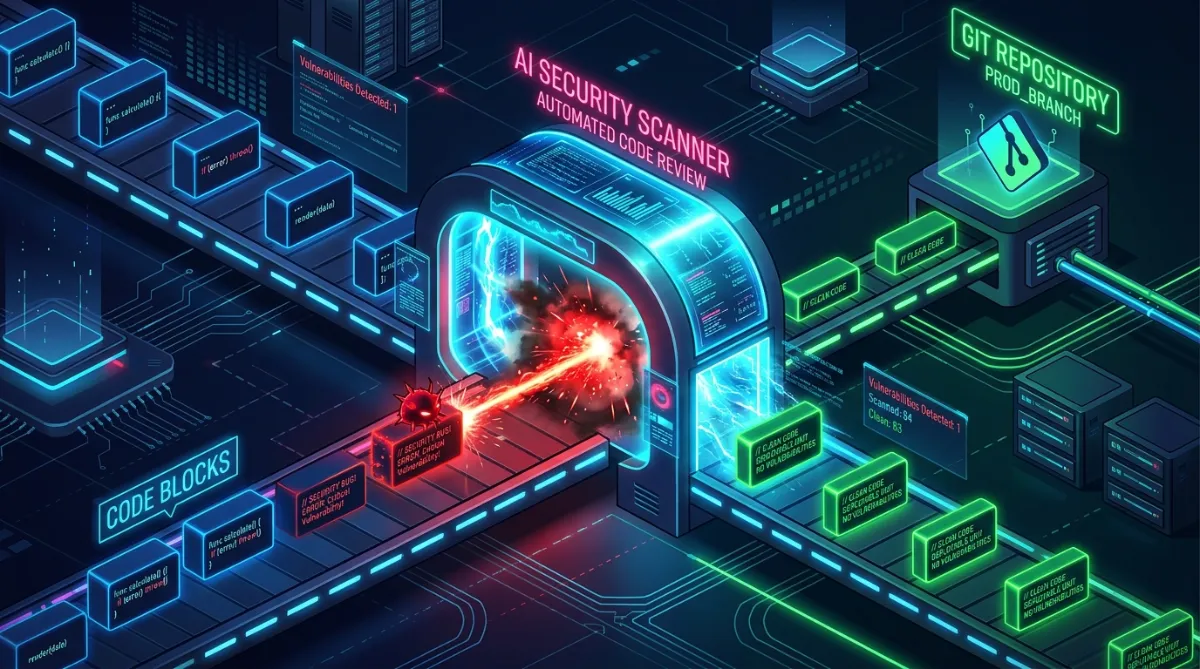
AI is exceptional at code review, provided you know its strengths and limitations.
What AI Reviews Well
-
Syntax and Style: Catching linter errors and formatting inconsistencies.
-
Common Anti-patterns: Spotting N+1 queries, missing indexes, and unhandled exceptions.
-
Test Coverage: Identifying missing edge cases in your unit tests.
-
Security Basics: Finding hardcoded secrets, SQL injection vectors, and XSS vulnerabilities.
What Humans Must Always Review
-
Business Logic: Does this code actually solve the user's problem?
-
Architecture & Domain: Does this new service belong in this bounded context?
-
Performance at Scale: AI rarely understands how your specific database will behave under a massive, concurrent load.
-
UX/UI Nuances: An AI can write a React component, but only a human can tell if the animation feels "right."
AI Review vs Human Review
Criteria
AI Review
Human Review
Speed
Instant
Hours to Days
Exhaustiveness
High (Checks every variable)
Medium (Prone to fatigue)
Contextual Nuance
Low (Unless explicitly provided)
High (Understands company history)
Business Value Validation
Poor
Excellent
✅ Best Practice: Use AI as the first pass in your CI/CD pipeline. Have a GitHub Action or local hook where the AI reviews the diff and leaves comments. Only request a human review once all AI-flagged issues are resolved.
Git Workflow with AI
AI allows you to write code faster, which means you can generate bad code faster. Your Git workflow needs to adapt to protect the codebase.
Atomic Commits
AI coding assistants often try to rewrite 15 files at once. Do not let them. Force the AI (and yourself) to make small, atomic commits.
-
One commit for the interface.
-
One commit for the implementation.
-
One commit for the tests.
If the AI breaks something, atomic commits make it trivial to git bisect and revert the damage.
AI-Assisted PR Descriptions
Before opening a PR, run a command to have the AI generate the description based on the commit history.
git diff main...HEAD | ai "Write a detailed PR description including the 'Why', 'What changed', and 'Testing instructions'."
Always review and edit the generated description to add business context.
Documentation First
The most profound impact AI has on engineering is making Documentation-Driven Development practical.
In the past, writing comprehensive design docs and READMEs was tedious. Now, it's a superpower. Because AI relies on context, well-maintained documentation acts as high-octane fuel for your AI assistant.
The Documentation-First Workflow
-
Write the README: Describe what the module does.
-
Write the Architecture Doc: Define the data flow.
-
Write the Interfaces: Define the API contracts.
-
Feed it to the AI: Say, "Read the architecture doc and the interfaces. Implement the backend."
If your documentation is good, the AI's implementation will be flawless. If the AI hallucinates, it usually means your documentation is ambiguous. Fix the documentation, not just the code.
Documentation-first vs Code-first
Approach
Result with AI
Maintainability
Code-first
AI guesses intent, creates spaghetti code.
Low. Future AI sessions will lack context.
Doc-first
AI follows precise blueprints.
High. Docs become executable system prompts.
Common Mistakes
Here are the fastest ways to shoot yourself in the foot when using AI.
Mistake
Why it's bad
The Fix
Blindly Trusting Code
You are responsible for the code, not the AI.
Read every single line generated before accepting.
Huge Prompts
"Build a CRM" results in useless, generic boilerplate.
Break tasks into micro-steps. Define the data model first.
Missing Context
The AI will hallucinate standard libraries or outdated APIs.
Provide specific file context, schema definitions, and rules.
Ignoring Architecture
AI loves to put database calls directly in UI components for convenience.
Enforce strict architectural patterns via CLAUDE.md.
Skipping Tests
Fast code generation means fast regression creation.
Instruct the AI: "Write tests before the implementation (TDD)."
📌 Lessons Learned: The amount of time you save writing code with AI should be re-invested into writing tests and documentation. Your velocity will increase, but your system's stability will skyrocket.
Best Practices
To get the most out of your AI coding assistant, adopt these practices:
-
Curate your Context: Use features like
@Filesor codebase indexing to provide exact context. Never rely on the AI's base training data for company-specific logic. -
Treat the AI like a Junior Developer: Be explicit. Leave nothing to assumption.
-
Use Sandbox Workspaces: Let the AI prototype complex logic in a scratchpad file before integrating it into your core modules.
-
Ask for Explanations: If the AI writes a complex regex or SQL query, immediately reply: "Explain exactly how this query works and why it's optimal."
-
Establish Repository Memory: Maintain the
.ai/project/tracking files so that you can resume complex tasks weeks later without losing context.
Lessons Learned
After months of using AI in production, a few universal truths emerge:
-
Your architecture matters more than ever. AI is incredibly fast at writing code. If your architecture is highly coupled and messy, the AI will generate spaghetti code at the speed of light. If your architecture is decoupled and modular, the AI will generate beautiful, isolated components.
-
Reading code is the new writing code. Because you spend less time typing, you will spend drastically more time reviewing. You must become exceptional at reading code and spotting logical flaws.
-
The 'System Prompt' is your most valuable asset. Refining your
CLAUDE.mdrules over time yields exponential returns in code quality and consistency.
Final Checklist
Before you start your next AI-assisted project, ensure you have completed this checklist:
-
Create a
CLAUDE.mddefining your strict architectural boundaries and coding standards. -
Initialize the
.ai/project/directory withcurrent-state.mdandtasks.md. -
Write a high-level architecture document for the AI to reference.
-
Enforce atomic commits in your Git workflow.
-
Setup a CI/CD pipeline that requires passing tests before merging (AI code is fast, but breakable).
-
Shift your mindset: You are the Architect; the AI is the implementer.
Embrace the shift. Stop using AI as a glorified autocomplete and start using it as the most powerful pair programming tool ever created.
Appendix: Full Planning Prompt
For anyone who wants to drop this straight into a CLAUDE.md or a standalone planning file:
# Initialization & Planning Prompt

Read and analyze:
`@{PROJECT}.md`

## AI Agent Execution Requirements

Before performing any analysis, planning, implementation, or documentation work:

### Context Sources Priority

Use all available project context in the following order:

1. Project Specification Documents
2. Project Rules / Instructions
3. Available Skills
4. MCP Tools
5. Existing Project Documentation
6. Existing Source Code
7. Progress Tracking Files
8. Previous Session Handoff Notes

### Skills Usage

If Skills are available:

* Discover all available skills.
* Determine which skills are relevant to the current task.
* Apply the most appropriate skill before generating output.
* Follow skill instructions exactly.
* Reuse existing skills rather than reinventing processes.

Examples:

* Architecture Review Skill
* Database Design Skill
* FastAPI Skill
* React Skill
* Testing Skill
* Documentation Skill
* Refactoring Skill
* Security Review Skill

When multiple skills are applicable:

* Apply them in dependency order.
* Record which skills were used in implementation logs.

---

### MCP Tool Usage

If MCP tools are available:

* Discover available MCP tools.
* Use MCP tools whenever they provide better context or automation.
* Prefer MCP tools over assumptions.
* Record tool usage in implementation logs.

Examples:

* GitHub MCP
* Database MCP
* Filesystem MCP
* Browser MCP
* Design MCP
* Figma MCP

---

### Existing Codebase Analysis

Before creating plans or tasks:

Analyze:

* Existing folder structure
* Existing modules
* Existing architecture
* Existing APIs
* Existing database schema
* Existing coding patterns
* Existing conventions

Avoid proposing work that already exists.

---

### Documentation First

Before implementation:

Verify whether required documentation already exists.

Reuse and extend existing documentation whenever possible.

Avoid creating duplicate documents.

---

### Implementation Logs

For every completed task record:

* Task ID
* Files modified
* Skills used
* MCP tools used
* Decisions made
* Blockers encountered
* Validation performed

---

### Session Handoff Requirements

At the end of every session generate:

* Current status
* Completed tasks
* Remaining tasks
* Next executable task
* Dependencies status
* Known issues
* Recommended next action

Future AI agents must be able to continue work without additional explanation.


---

## Objectives

1. Analyze the specification.
2. Extract all implementation requirements.
3. Identify implementation phases.
4. Create execution roadmap.
5. Create dependency-aware task breakdown.
6. Create progress tracking files.
7. Create AI handoff files.
8. Prepare the project for multi-session AI development.

---

## Create Structure

```text
docs/
├── planning/
│   ├── roadmap.md
│   ├── tasks.md
│   ├── progress.md
│   ├── decisions.md
│   ├── blockers.md
│   ├── risks.md
│   └── assumptions.md
│
└── analysis/
    ├── requirement-summary.md
    ├── dependency-map.md
    ├── implementation-order.md
    └── validation-report.md

.ai/
└── project/
    ├── current-state.md
    ├── next-task.md
    ├── implementation-log.md
    ├── session-handoff.md
    ├── completed-tasks.md
    └── pending-tasks.md
```

---

## Requirement Analysis

Extract and summarize:

* Business goals
* Features
* User flows
* Database entities
* APIs
* UI modules
* Services
* Infrastructure requirements

Create:

`requirement-summary.md`

---

## Validation Report

Review the specification and identify:

* Missing requirements
* Missing API definitions
* Missing database relationships
* Missing UI flows
* Ambiguous requirements
* Dependency conflicts

Create:

`validation-report.md`

Do not modify architecture.

Only report findings.

---

## Dependency Mapping

Generate:

`dependency-map.md`

Example:

```text
Authentication
│
├── User Management
│
├── Authorization
│
└── Profile Management

Course Categories
│
└── Courses
      │
      └── Lessons
```

---

## Implementation Order

Generate:

`implementation-order.md`

Determine the safest implementation sequence based on dependencies.

---

## Roadmap

Create implementation phases based on the existing specification.

Example:

Phase 1 - Foundation

Phase 2 - Database

Phase 3 - Backend

Phase 4 - Frontend

Phase 5 - Integration

Phase 6 - Testing

Phase 7 - Deployment

---

## Task Breakdown

Generate implementation tasks.

Format:

* Task ID
* Title
* Description
* Dependencies
* Complexity
* Acceptance Criteria

Example:

* [ ] TASK-001 Create User entity
* [ ] TASK-002 Create User migration
* [ ] TASK-003 Create User repository
* [ ] TASK-004 Create User API

Tasks must be granular and dependency-driven.

---

## Progress Tracking

Initialize:

current-state.md

Status: NOT_STARTED

Current Phase: Planning

Current Task: TASK-001

Completion: 0%

next-task.md

Task ID: TASK-001

Status: READY

implementation-log.md

Project initialized.

session-handoff.md

Ready for implementation.

completed-tasks.md

No completed tasks.

pending-tasks.md

All tasks pending.

---

## Future Development Requirement

Future prompts such as:

"Continue development"

"Resume project"

"Continue from last completed task"

must allow the AI to:

1. Read tracking files.
2. Determine current state.
3. Find next task.
4. Validate dependencies.
5. Execute only the next task.
6. Update all tracking files.
7. Generate handoff notes.

---

## Rules

* Do not write production code.
* Do not generate migrations.
* Do not create APIs.
* Do not redesign architecture.
* Do not modify database schema.
* Treat the specification as the source of truth.
* Only generate analysis, planning, dependency mapping, task management, and continuation documentation.