

Share Article
Spread practical knowledge with your network
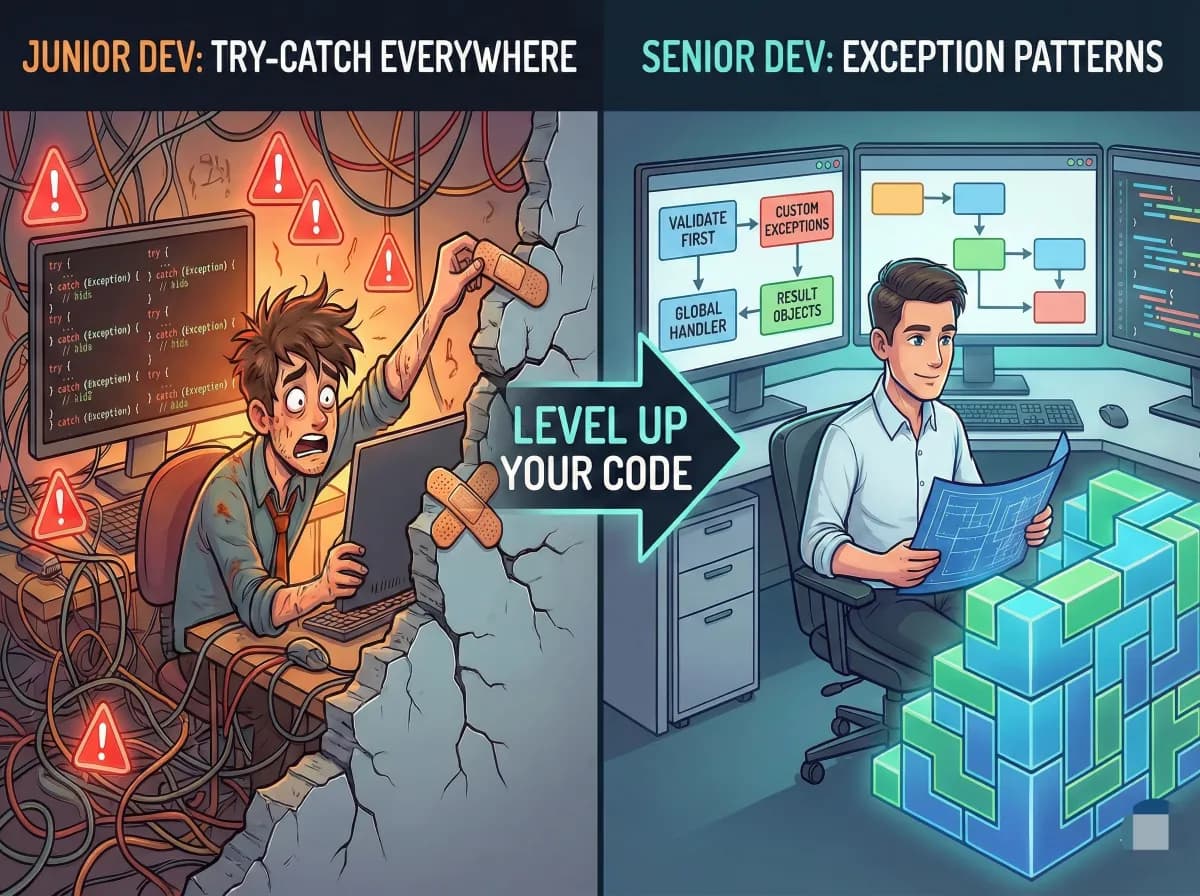
Junior Devs Use try-catch Everywhere. Senior Devs Don’t.
Introduction: A Common Mistake in Real Projects
When I work with one startup a few years ago, something felt off in the codebase.
Almost every method had a try-catch block.
-
Controllers
-
Services
-
Repositories
-
Utility classes
The team called it “safe coding.”
It wasn’t safe at all.
Within months, we started seeing production issues:
-
Errors were silently swallowed
-
Logs were missing or useless
-
Alerts never triggered
-
Bugs were discovered only after users complained
Those try-catch blocks didn’t protect the system.
They hid real failures.
That experience taught me an important lesson:
Using
try-catcheverywhere is not defensive programming.
It’s fear-based programming.
Senior developers don’t add try-catch by default.
They add it only where it truly adds value.
Let’s break down how senior developers actually handle exceptions — with simple, real examples.
Why Junior Developers Default to try-catch
Most juniors start with good intentions:
-
“What if this fails?”
-
“The compiler warned me”
-
“The tutorial showed this”
-
“I don’t want the app to crash”
So they write code like this:
try
{
    DoSomething();
}
catch (Exception ex)
{
    // handle error
}
The problem?
-
try-catchreacts after failure -
It doesn’t prevent bugs
-
It often hides the real cause
-
It makes debugging harder
Why try-catch everywhere is dangerous
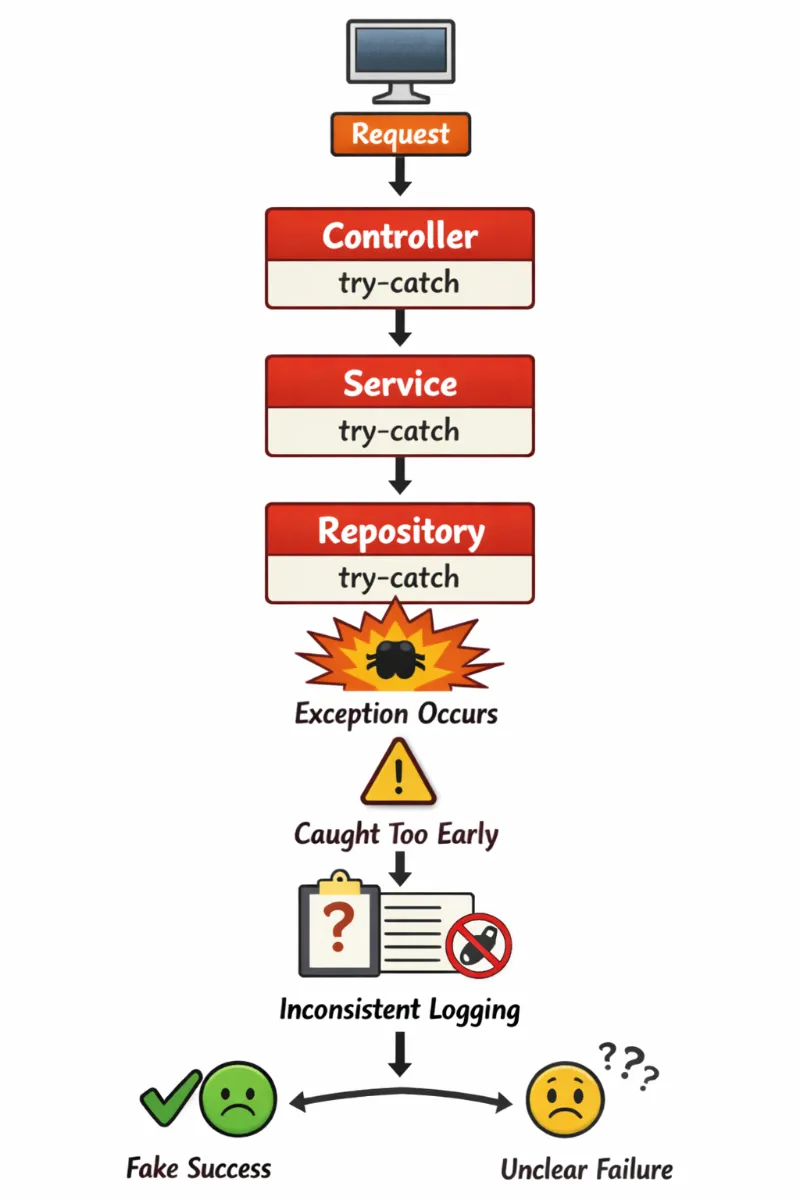
What Happens
Request
   ↓
Controller (try-catch)
   ↓
Service (try-catch)
   ↓
Repository (try-catch)
   ↓
Exception occurs
   ↓
Caught too early
   ↓
Logged inconsistently or ignored
   ↓
Fake success / unclear failure
Problems
-
Exceptions get swallowed
-
Logs are duplicated or missing
-
Real root cause is lost
-
Production bugs stay hidden
This is why “safe coding” becomes dangerous coding.
Senior developers ask a better question first:
Can I prevent this failure instead of catching it?
Clean Flow
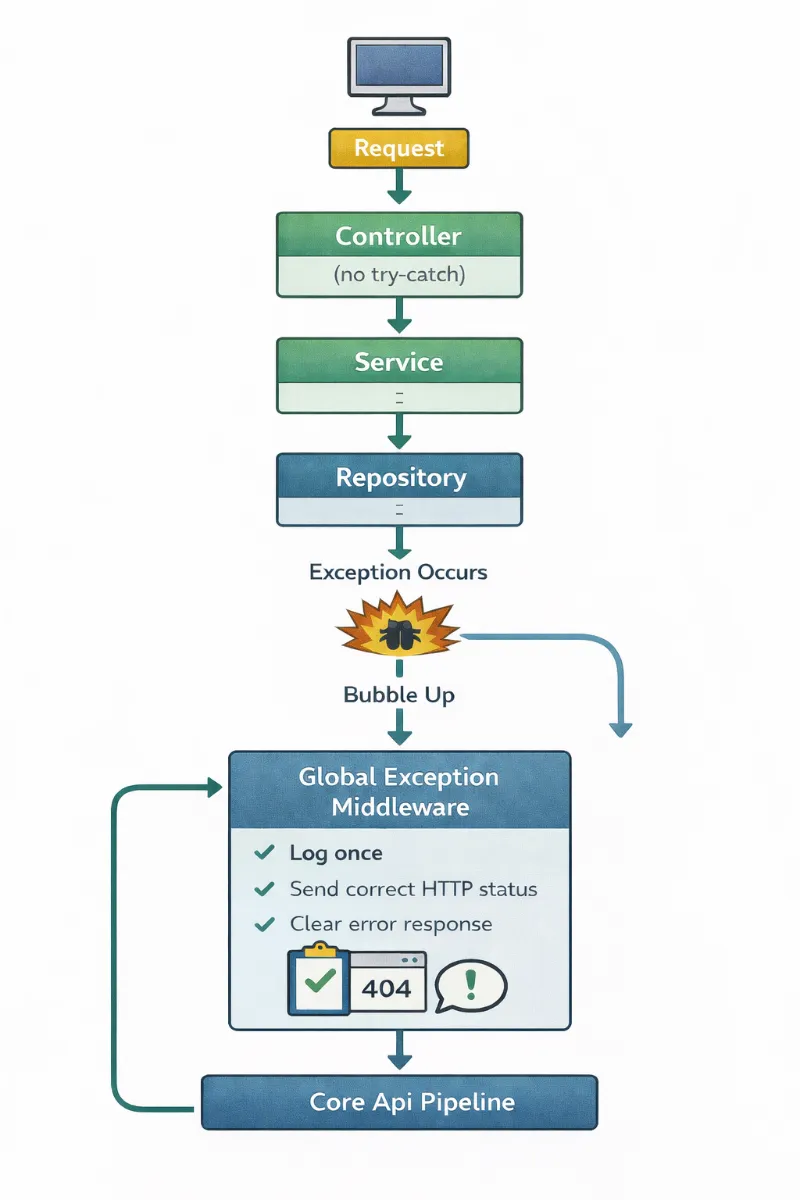
Request
   ↓
Controller (no try-catch)
   ↓
Service
   ↓
Repository
   ↓
Exception occurs
   ↓
Bubble up
   ↓
Global Exception Middleware
   ↓
✔ Log once
✔ Correct HTTP status
✔ Clear error response
Why This Works
-
Errors are handled once
-
No duplication
-
Clean stack traces
Exception Handling Patterns Senior Developers Use
Pattern 1: Validate First, Don’t Catch
Most unnecessary try-catch blocks exist because of invalid input.
Junior Approach (Wrong)
[HttpPost("users")]
public IActionResult CreateUser(UserRequest request)
{
    try
    {
        var user = _userService.Create(request);
        return Ok(user);
    }
    catch (NullReferenceException)
    {
        return BadRequest();
    }
    catch (ArgumentException)
    {
        return BadRequest();
    }
}
This code is fragile and hard to maintain.
Senior Approach (Correct)
Validate before the method runs.
[HttpPost("users")]
public IActionResult CreateUser([FromBody] UserRequest request)
{
    var user = _userService.Create(request);
    return CreatedAtAction(nameof(CreateUser), user);
}
Request Model with Validation
public class UserRequest
{
    [Required]
    public string Name { get; set; }

    [Required, EmailAddress]
    public string Email { get; set; }

    [Range(18, 100)]
    public int Age { get; set; }
}
ASP.NET Core automatically:
-
Validates input
-
Returns
400 Bad Request -
Stops bad data early
Rule
If you’re catching exceptions caused by invalid input, you have a validation problem, not an exception problem.
Pattern 2: Use Custom Exceptions (Never Exception)
Junior Approach
try
{
    _orderService.Process(orderId);
}
catch (Exception ex)
{
    _logger.LogError(ex.Message);
    return StatusCode(500);
}
This tells you nothing useful.
Senior Devs Approach
Base Application Exception
public abstract class AppException : Exception
{
    public int StatusCode { get; }

    protected AppException(string message, int statusCode)
        : base(message)
    {
        StatusCode = statusCode;
    }
}
Specific Exceptions
public class NotFoundException : AppException
{
    public NotFoundException(string resource)
        : base($"{resource} not found", StatusCodes.Status404NotFound) { }
}

public class BusinessRuleException : AppException
{
    public BusinessRuleException(string message)
        : base(message, StatusCodes.Status409Conflict) { }
}
Usage (No try-catch)
public Order ProcessOrder(int orderId)
{
    var order = _repository.Get(orderId)
        ?? throw new NotFoundException("Order");

    if (order.IsProcessed)
        throw new BusinessRuleException("Order already processed");

    return order;
}
Rule
If you catch Exception and then try to figure out what went wrong — your exceptions are too generic.
Pattern 3: Handle Exceptions in One Place (Global Middleware)
Junior devs add try-catch everywhere.
Senior devs handle exceptions once.
Junior Approach
[HttpGet("{id}")]
public IActionResult GetOrder(int id)
{
    try
    {
        return Ok(_service.Get(id));
    }
    catch (NotFoundException)
    {
        return NotFound();
    }
    catch (Exception)
    {
        return StatusCode(500);
    }
}
Senior Devs Approach — Global Exception Middleware
public class ExceptionMiddleware
{
    private readonly RequestDelegate _next;
    private readonly ILogger<ExceptionMiddleware> _logger;

    public ExceptionMiddleware(RequestDelegate next, ILogger<ExceptionMiddleware> logger)
    {
        _next = next;
        _logger = logger;
    }

    public async Task Invoke(HttpContext context)
    {
        try
        {
            await _next(context);
        }
        catch (AppException ex)
        {
            context.Response.StatusCode = ex.StatusCode;
            await context.Response.WriteAsJsonAsync(new { error = ex.Message });
        }
        catch (Exception ex)
        {
            _logger.LogError(ex, "Unhandled error");
            context.Response.StatusCode = 500;
            await context.Response.WriteAsJsonAsync(new { error = "Something went wrong" });
        }
    }
}
Register it once:
app.UseMiddleware<ExceptionMiddleware>();
Controller becomes clean:
[HttpGet("{id}")]
public Order GetOrder(int id)
{
    return _service.Get(id);
}
Rule
If the same catch logic appears in multiple places — centralize it.
Pattern 4: Use Result Objects for Expected Failures
Not every failure is exceptional.
Expected failures:
-
User not found
-
Validation failed
-
Payment declined
Junior Approach
public User GetUser(int id)
{
    return _repo.Get(id) ?? throw new NotFoundException("User");
}
This forces every caller to deal with exceptions.
Senior Approach — Result Pattern
public class Result<T>
{
    public bool IsSuccess { get; }
    public T Value { get; }
    public string Error { get; }

    private Result(bool success, T value, string error)
    {
        IsSuccess = success;
        Value = value;
        Error = error;
    }

    public static Result<T> Success(T value) => new(true, value, null);
    public static Result<T> Failure(string error) => new(false, default, error);
}
Usage:
public Result<User> GetUser(int id)
{
    var user = _repo.Get(id);
    return user == null
        ? Result<User>.Failure("User not found")
        : Result<User>.Success(user);
}
Controller:
var result = _service.GetUser(id);

if (!result.IsSuccess)
    return NotFound(result.Error);

return Ok(result.Value);
Rule
If a failure is expected, don’t throw — return a result.
(Important) Pattern 5: Log and Rethrow, Don’t Swallow
One critical rule many blogs miss.
Wrong
catch (Exception ex)
{
    _logger.LogError(ex.Message);
}
This hides the failure.
Correct
catch (Exception ex)
{
    _logger.LogError(ex, "Error while processing order");
    throw;
}
Rule
If you catch an exception and can’t fully handle it — log it and rethrow.
The Mental Model Senior Devs Use
Exceptional (Use try-catch)
-
Database down
-
Network failure
-
External API timeout
-
Infrastructure issues
✅ Expected (No try-catch)
-
User not found
-
Invalid input
-
Business rule violation
-
Duplicate request
Once you think this way, your code becomes:
-
Cleaner
-
Easier to read
-
Easier to debug
-
Safer in production
Your Simple Action Plan
Tomorrow at work, try just one thing:
-
Replace one validation
try-catchwith model validation -
Replace one
catch (Exception)with a custom exception -
Move repeated
catchlogic into middleware -
Replace one expected exception with a
Resultobject
Small steps → senior-level code.