
Share Article
Spread practical knowledge with your network
Production-Ready Git Branching Strategy for Modern Teams
Why You Need a Git Branching Strategy
If you are working on a real project (team, production users, CI/CD), Git is not just about saving code.
Without a clear branching strategy, teams face:
-
broken production builds
-
confusion about which code is live
-
risky hotfixes
-
accidental overwrites
A simple, modern branching strategy helps you:
-
keep production safe
-
work in parallel with your team
-
release confidently
-
fix bugs without panic
Recommended Starting Strategy (Modern Era)
For most modern projects, the best starting point is a simple hybrid model:
-
Safe for beginners
-
Works with CI/CD
-
Used by real companies
-
Easy to scale later
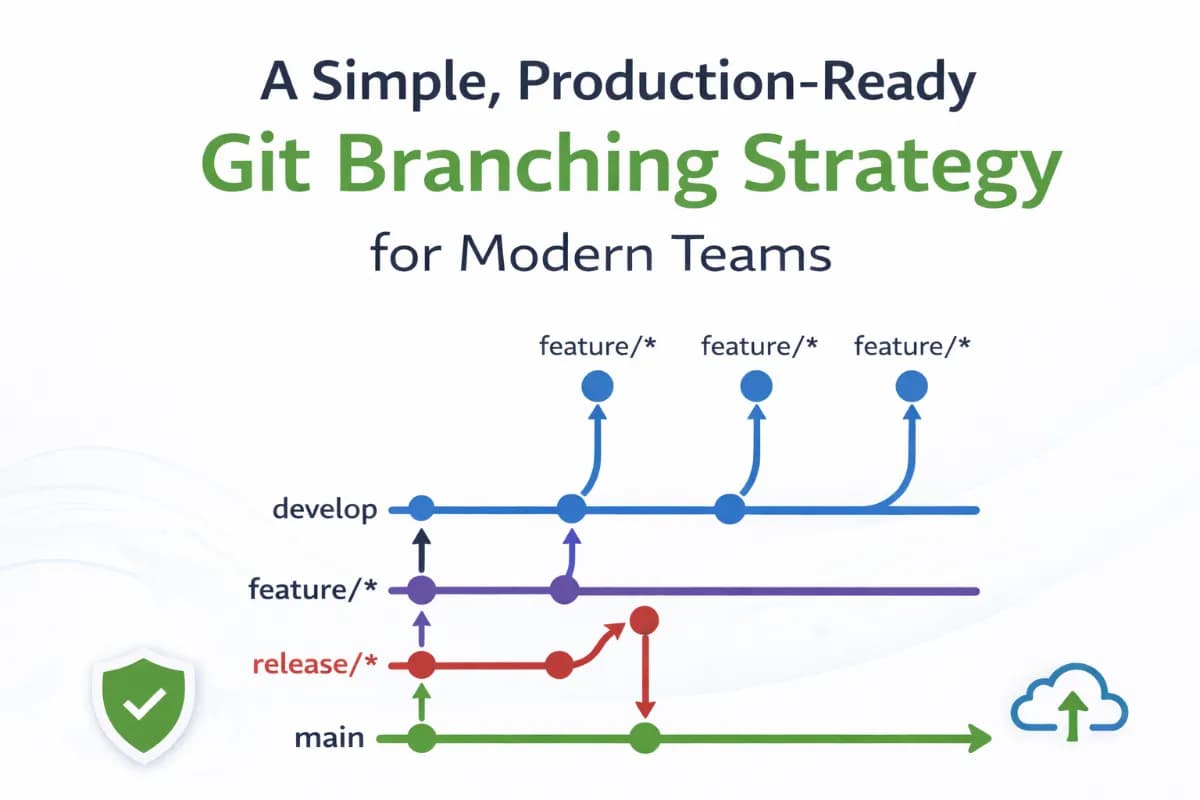
Branches You Will Use (Only 5)
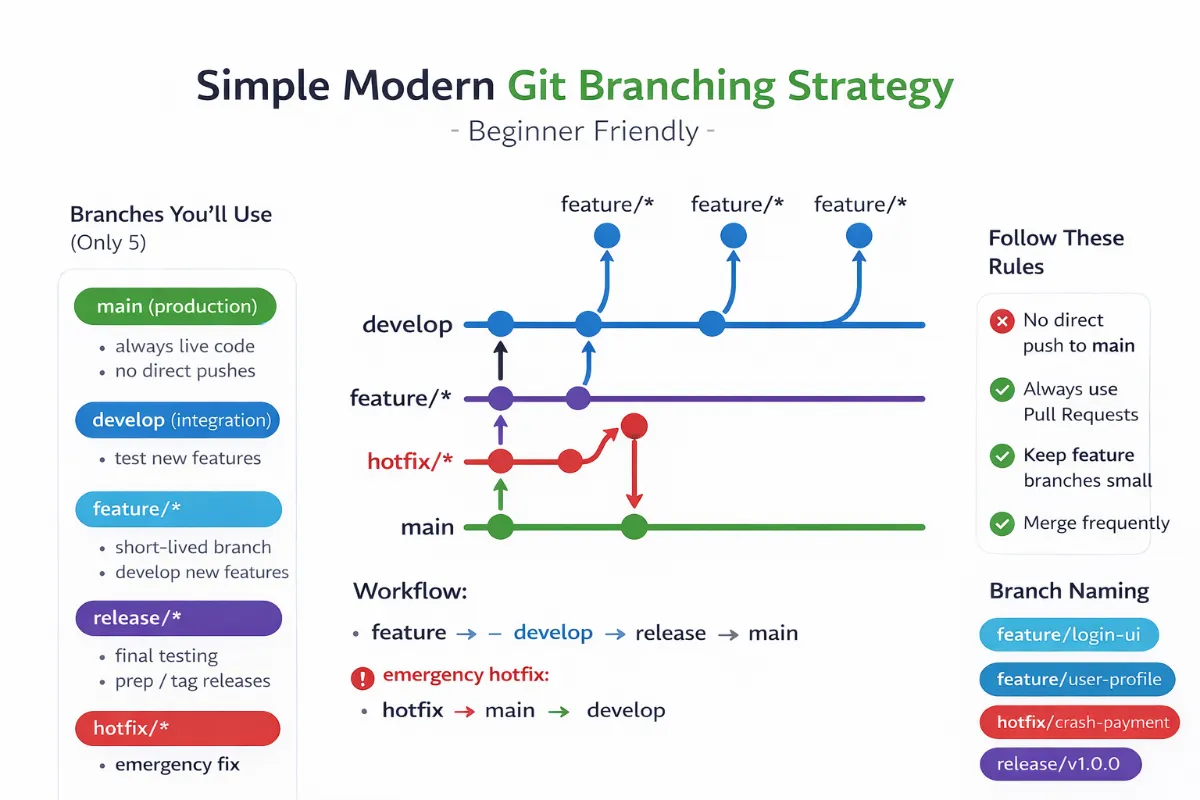
1. main — Production
-
Always contains live production code
-
Never push directly
-
Deployments come only from here
2. develop — Integration
-
Where completed features come together
-
Used for testing and validation
-
Acts as a safety layer before production
3. feature/* — New Work
-
Created for every new feature
-
Short-lived
-
Merged back into
develop
Example:
feature/login-page
feature/payment-api
4. release/* — Final Testing
-
Created when a version is almost ready
-
Used for final QA / UAT testing
-
No new features here, only fixes
Example:
release/v1.2.0
5. hotfix/* — Emergency Fix
-
Used only when production breaks
-
Created from
main -
Merged back into both
mainanddevelop
Example:
hotfix/payment-crash
How the Workflow Actually Works
Normal Feature Development
feature → develop → release → main
Step by step (simple version):
-
Create a feature branch from
develop -
Write code and commit small changes
-
Open a Pull Request
-
Merge into
develop -
When ready → create a
releasebranch -
Test the release
-
Merge into
main -
Deploy
Emergency Production Bug (Hotfix)
hotfix → main → develop
Step by step:
-
Create hotfix branch from
main -
Fix the issue
-
Deploy immediately
-
Merge back into
developso the fix isn’t lost
Why This Strategy Is Best for Beginners
✔ Clear separation of work
✔ Production is always protected
✔ Easy to understand flow
✔ Matches modern CI/CD pipelines
✔ Works for small and growing teams
You don’t need to understand all Git strategies on day one.
This model gives you structure without complexity.
What NOT to Do (Very Important)
NOTE: Do NOT create branches like:
dev
qa
uat
prod
Why?
-
Branches should represent code, not environments
-
Environments should be handled by CI/CD pipelines
-
This model causes confusion and bugs
Basic Rules to Follow
-
No direct push to
main -
Always use Pull Requests
-
Keep feature branches small
-
Merge frequently
-
Use tags for releases
Beginner-Friendly Branch Naming
feature/login-ui
feature/user-profile
hotfix/crash-on-payment
release/v1.0.0
Simple and readable.
When You Can Upgrade Later
Once your team grows and CI/CD becomes mature, you can explore:
-
GitHub Flow (simpler)
-
Trunk-Based Development (advanced)
-
Multiple release branches (enterprise)
But do not start there.
Final Recommendation
If you are starting today in the modern era:
-
Use Hybrid Git Flow (simplified)
-
Protect
main -
Work through
develop -
Release through
release/* -
Fix production with
hotfix/*
This strategy is:
-
beginner-friendly
-
production-safe
-
future-proof
Thank You!!